Features
From the first call to the final payment
Every feature follows the same path: lead, quote, invoice, job. Collect covers quoting and getting paid. Pro adds the crew side: follow-ups, scheduling, job profit and inventory.
Lead · Collect and Pro
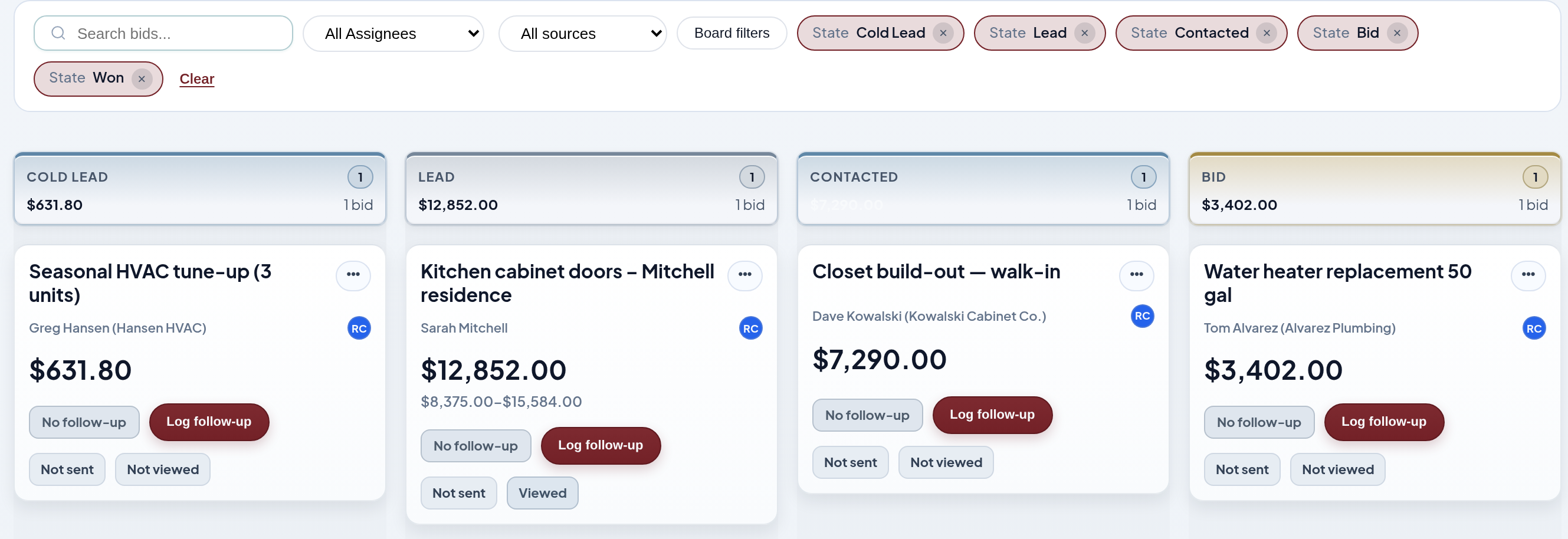
Every call lands on the board
Drag bids between stages so everyone sees what's open, quoted and won. Collect keeps it simple with Lead, Bid, Won or Lost. Pro adds the full pipeline with follow-ups.
Quote · Collect and Pro
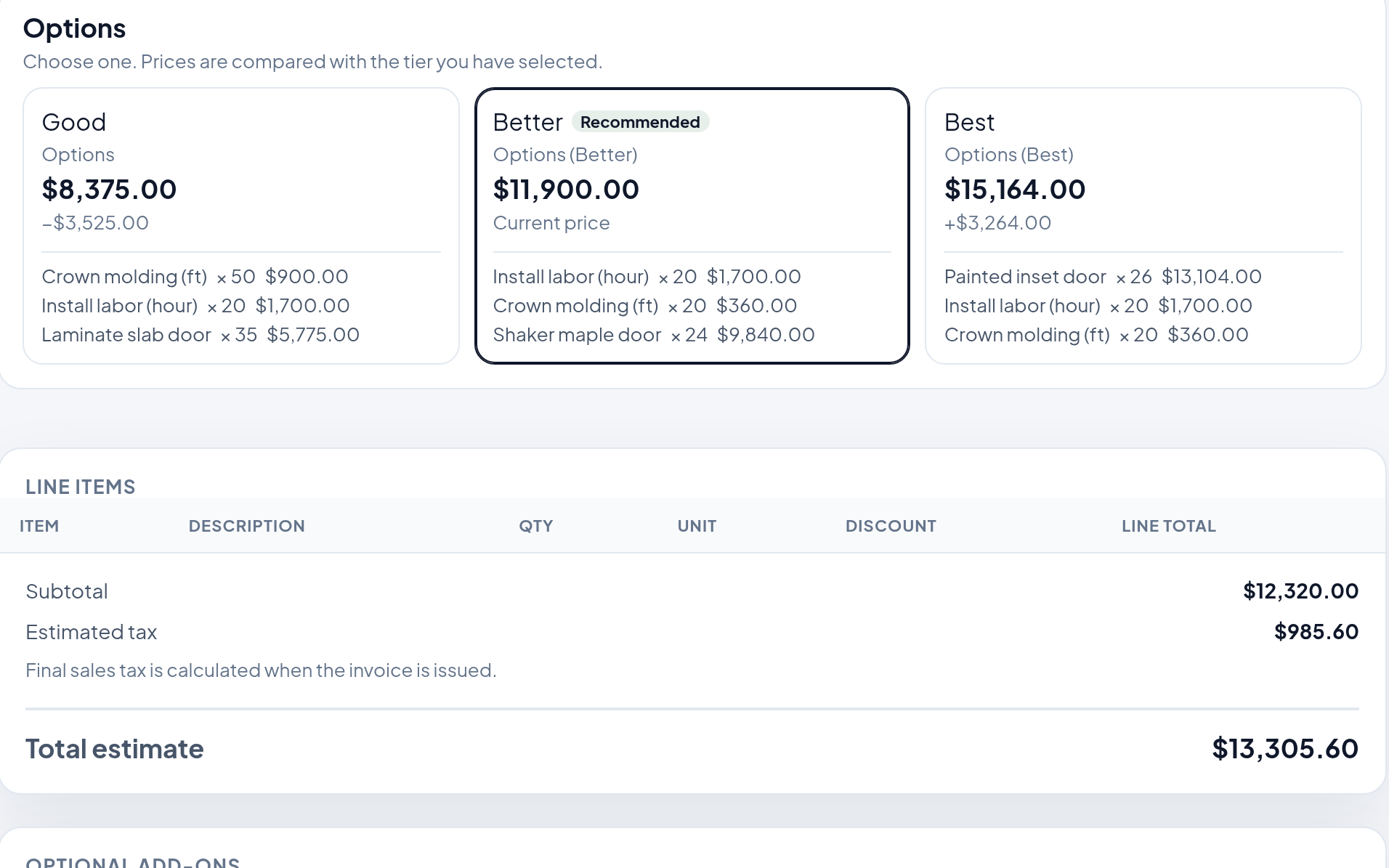
A branded quote your customer accepts online
Send a clean quote page instead of a PDF. The customer reviews it and accepts from their phone. On Pro, offer Good/Better/Best options, like melamine, wood grain or painted for a closet, and let them pick.
Invoice · Collect and Pro
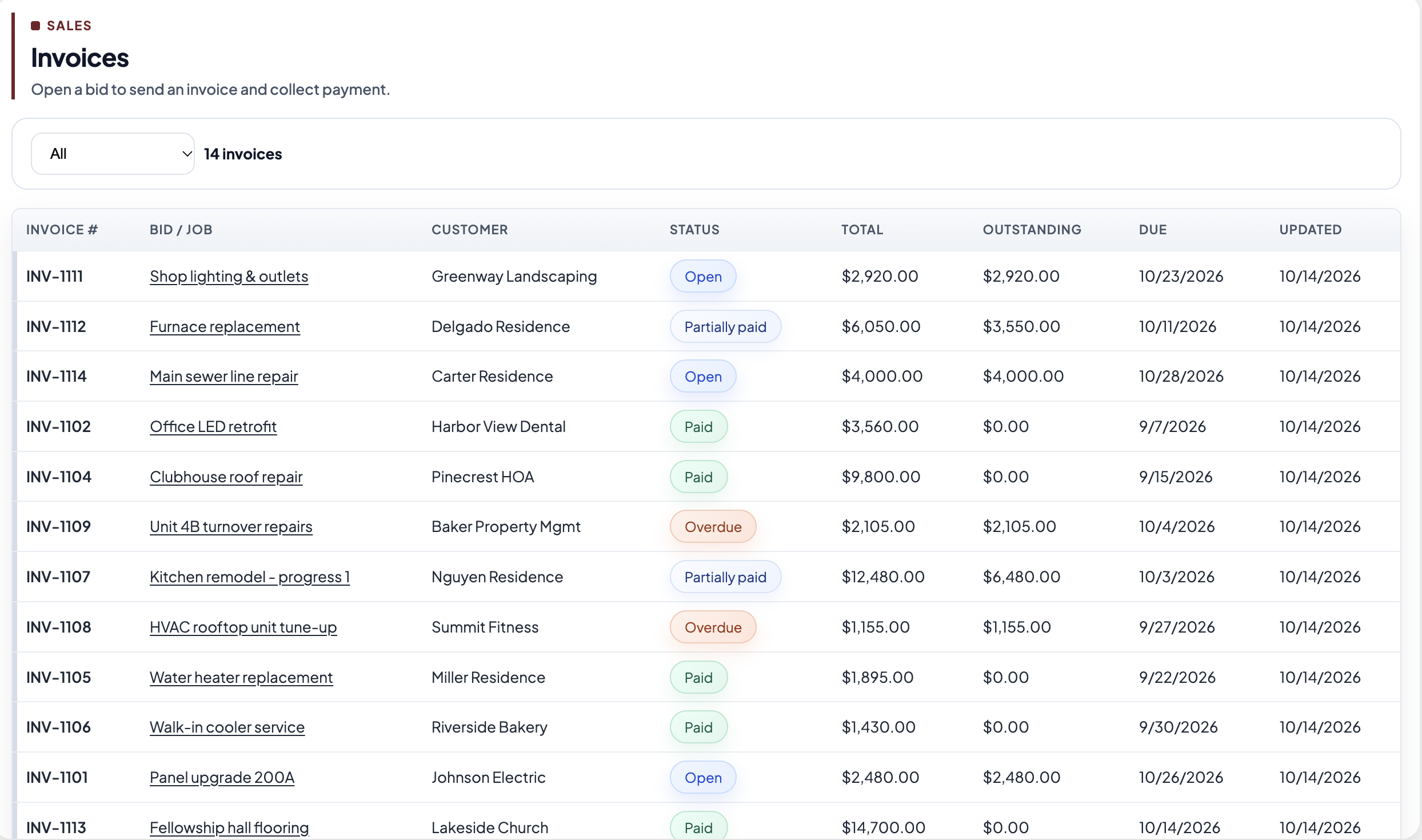
The accepted quote becomes the invoice
Nothing to retype. Every invoice has a pay link for card or ACH, the money lands in your own Stripe account, and each payment posts to QuickBooks Online as a sales receipt.
Follow-up · Pro
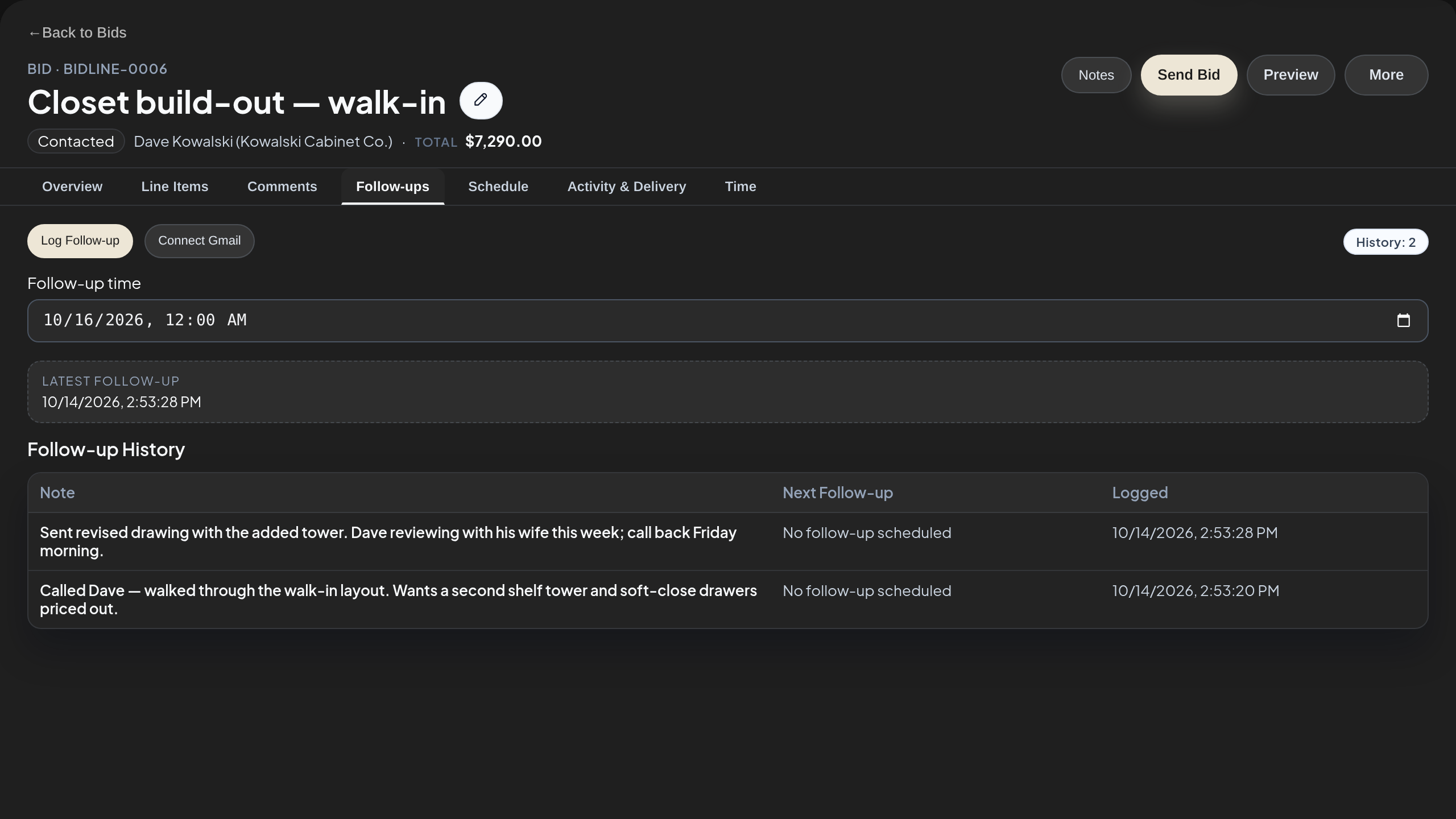
Log and schedule follow-ups on the bid
Call notes, the next step and its due date live on the bid, so the crew knows who's calling the customer back and when.
Schedule · Pro
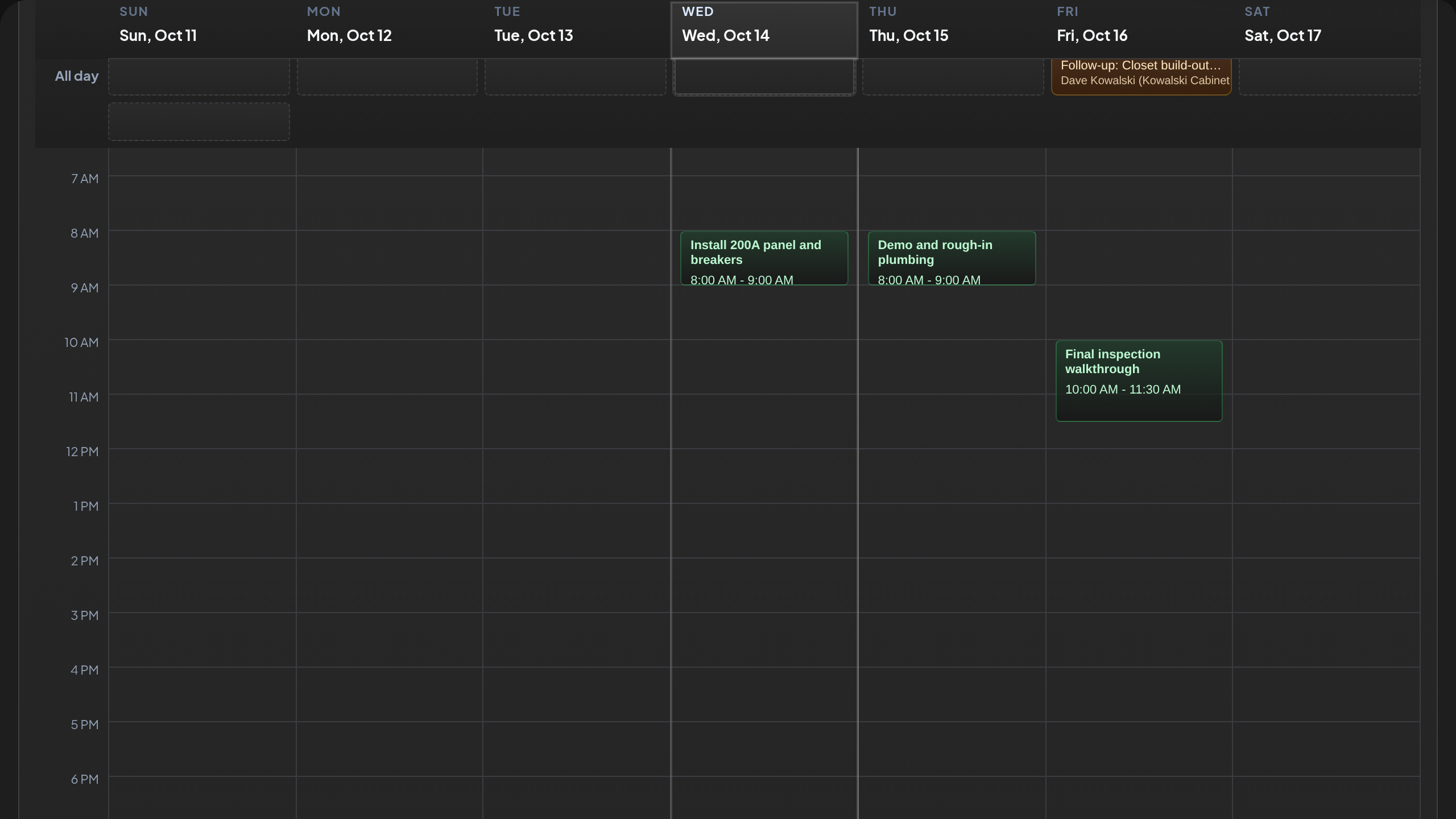
Drag a won bid onto the calendar
Put installs on the calendar straight from the pipeline and assign the crew without a round of texts.
Job · Pro
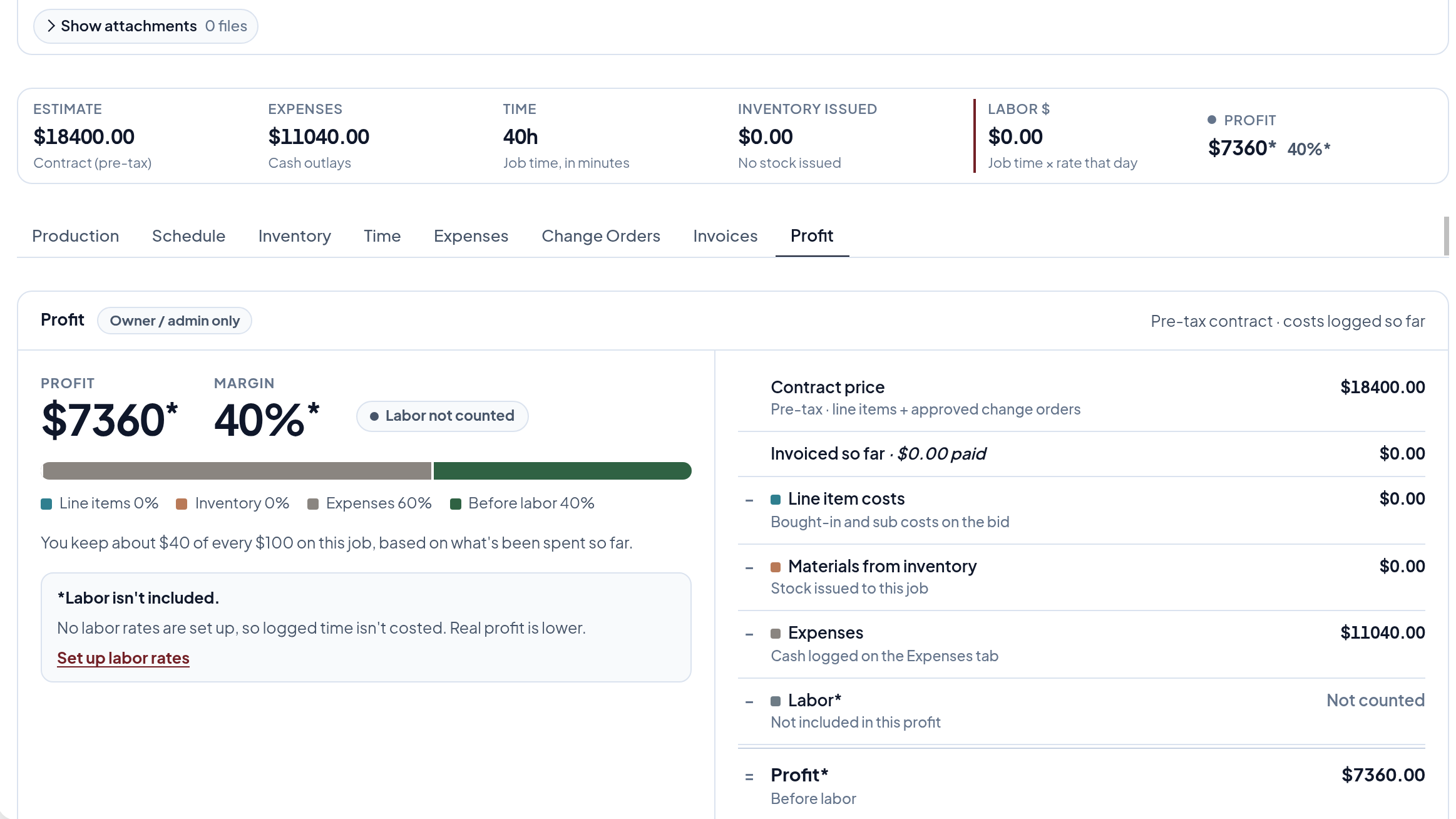
Know what each job is earning
Every won bid becomes a job with its steps, materials and profit. See what's on hand, reserved and on order, and receive purchase orders against the job.
Collect or Pro?
Small shop? Start with Collect, move to Pro when you add crew and inventory. One-person closet installers usually start on Collect. Closet and cabinet shops with a crew and materials to order run on Pro.
See it on one of your own jobs.
Fifteen minutes with our team. Bring a recent bid and we'll build it in BidLine with you.