The whole job. One platform.

Quotes, invoices and payments, jobs, inventory and QuickBooks sync in one system built for trades businesses.

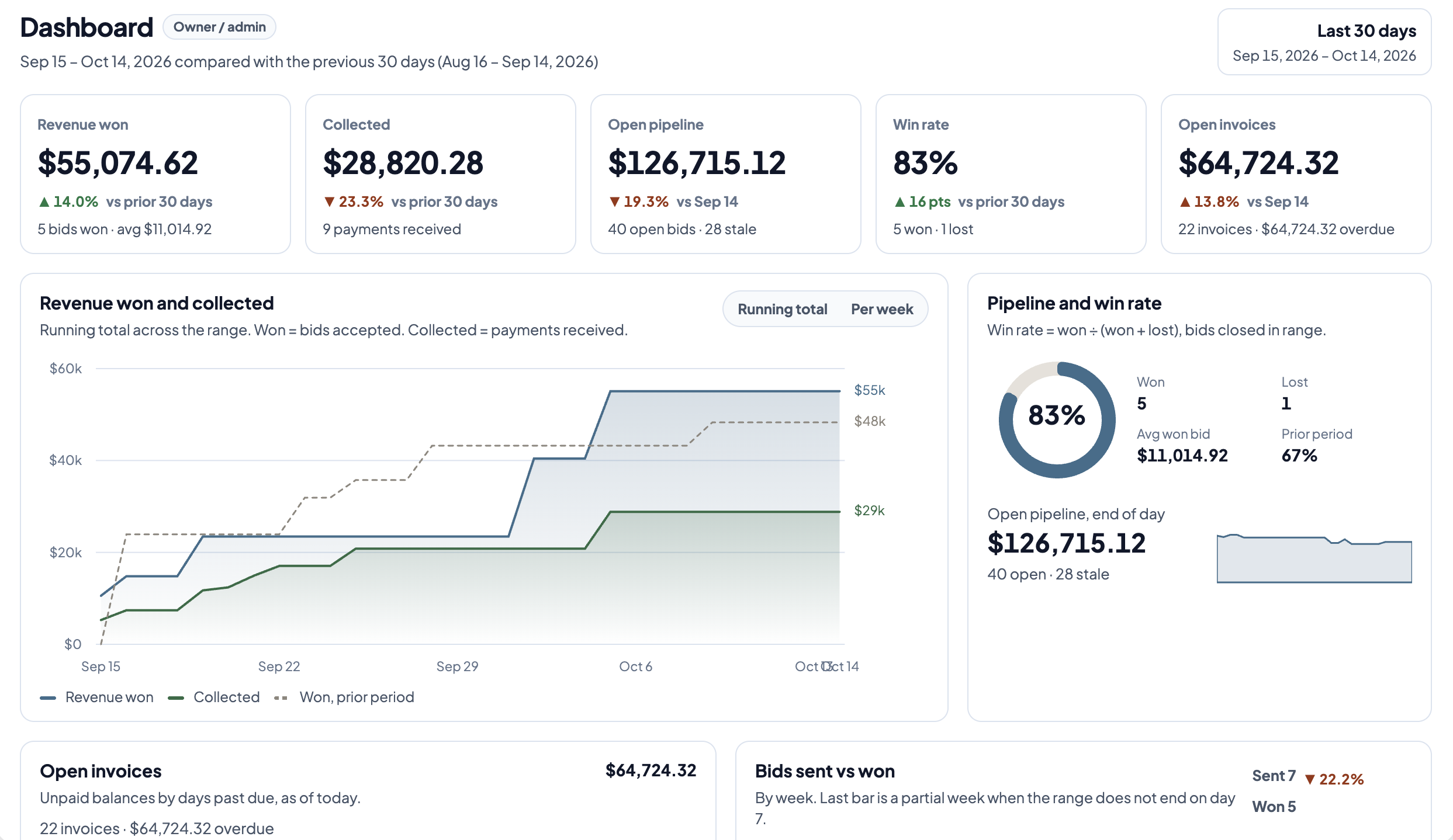
BidLine dashboard: revenue won, open pipeline, and win rate

What's in BidLine

Everything a trades business runs on.

Quotes

A branded quote page customers accept online. Pro adds Good/Better/Best options.

Invoicing and payments

The accepted quote becomes the invoice. Customers pay by card or ACH into your own Stripe account.

Jobs and workflow

In Pro, each accepted bid becomes a job with its steps, schedule and profit.

Inventory

In Pro, see on hand, reserved and on order for every job. Receive a PO and stock updates.

QuickBooks Online

Each payment posts to QuickBooks Online as a sales receipt, so the books match.

Product overview

Lead, quote, invoice, job. One flow.

1Lead

Every call lands in the pipeline.

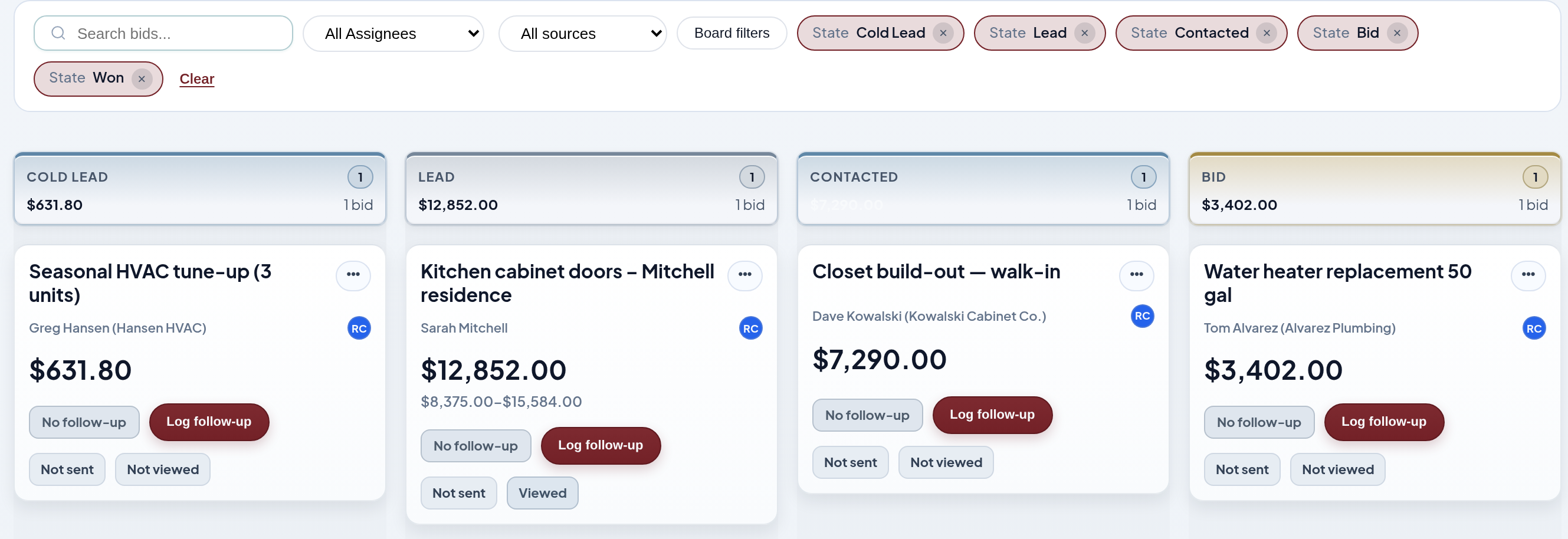
Drag bids between stages so the whole team sees what's open, quoted and won.

Pipeline board with bid stages

2Quote

Send options, not a PDF.

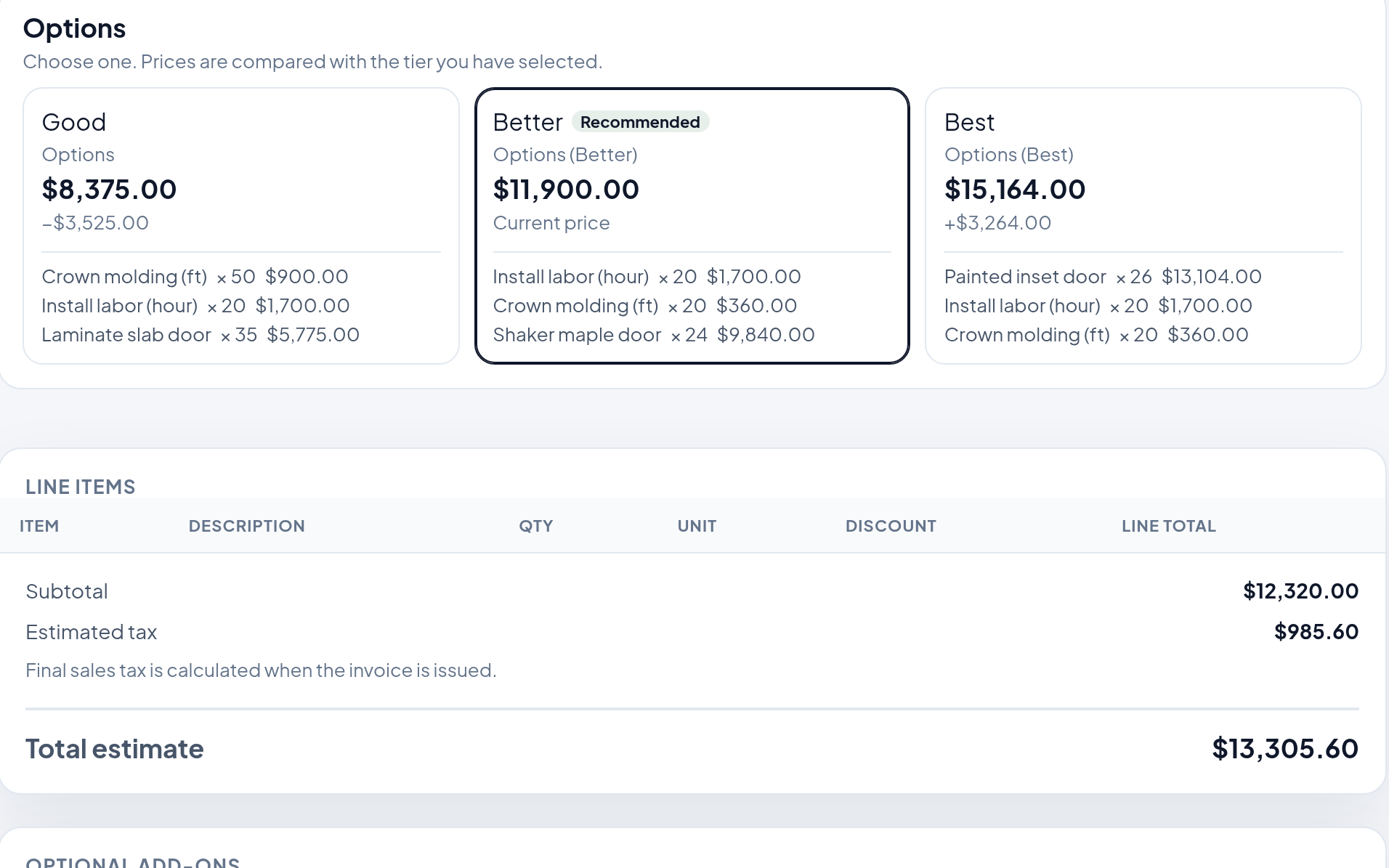
Laminate, shaker or painted inset on one quote. The customer compares, picks and accepts online.

Quote with Good/Better/Best tiers (customer view)

3Invoice

The quote becomes the invoice.

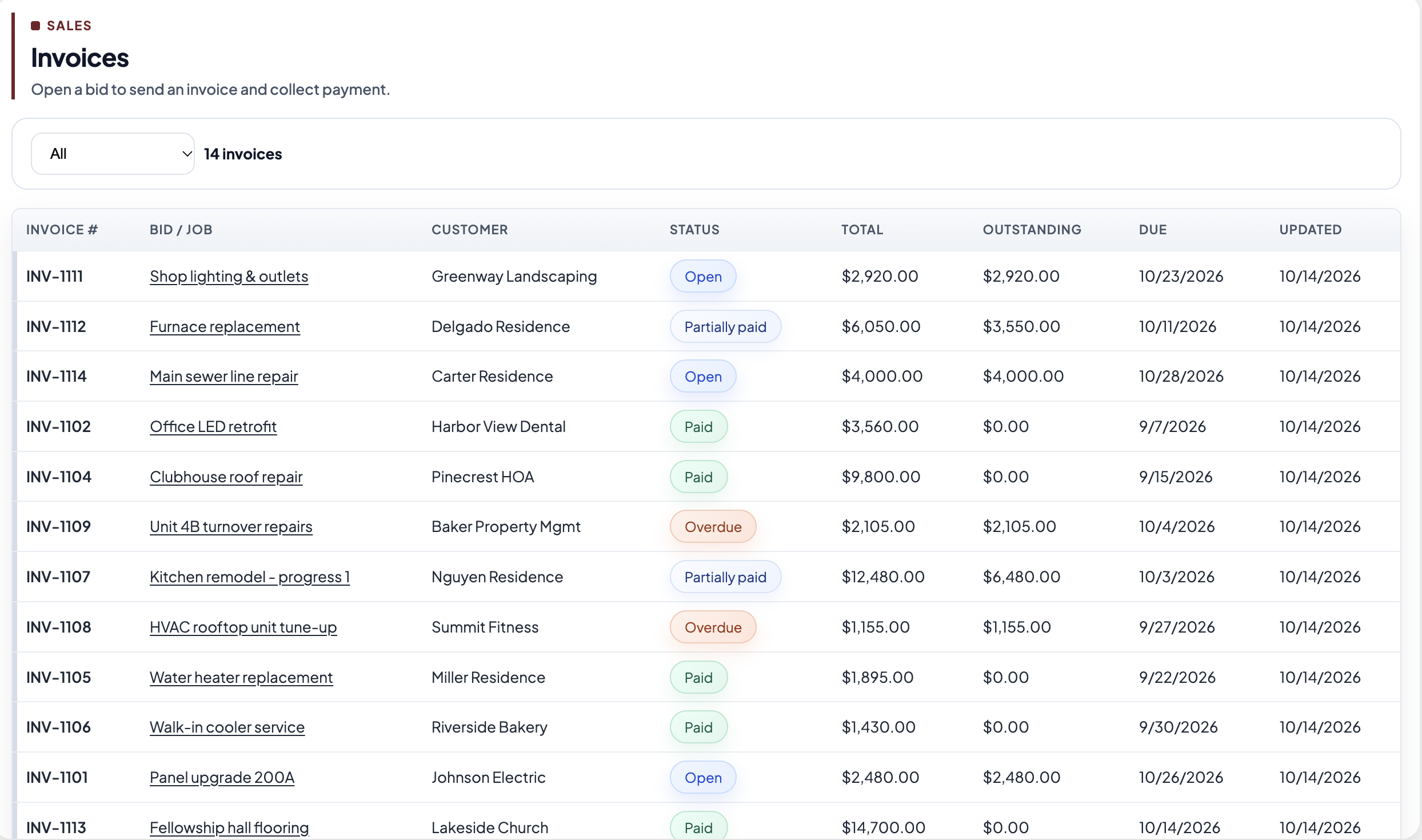
Deposits, progress and final invoices pull from the accepted quote, with a card or ACH pay link.

Invoices list with Open, Partially paid, Paid, and Overdue

4Job

The job knows its numbers.

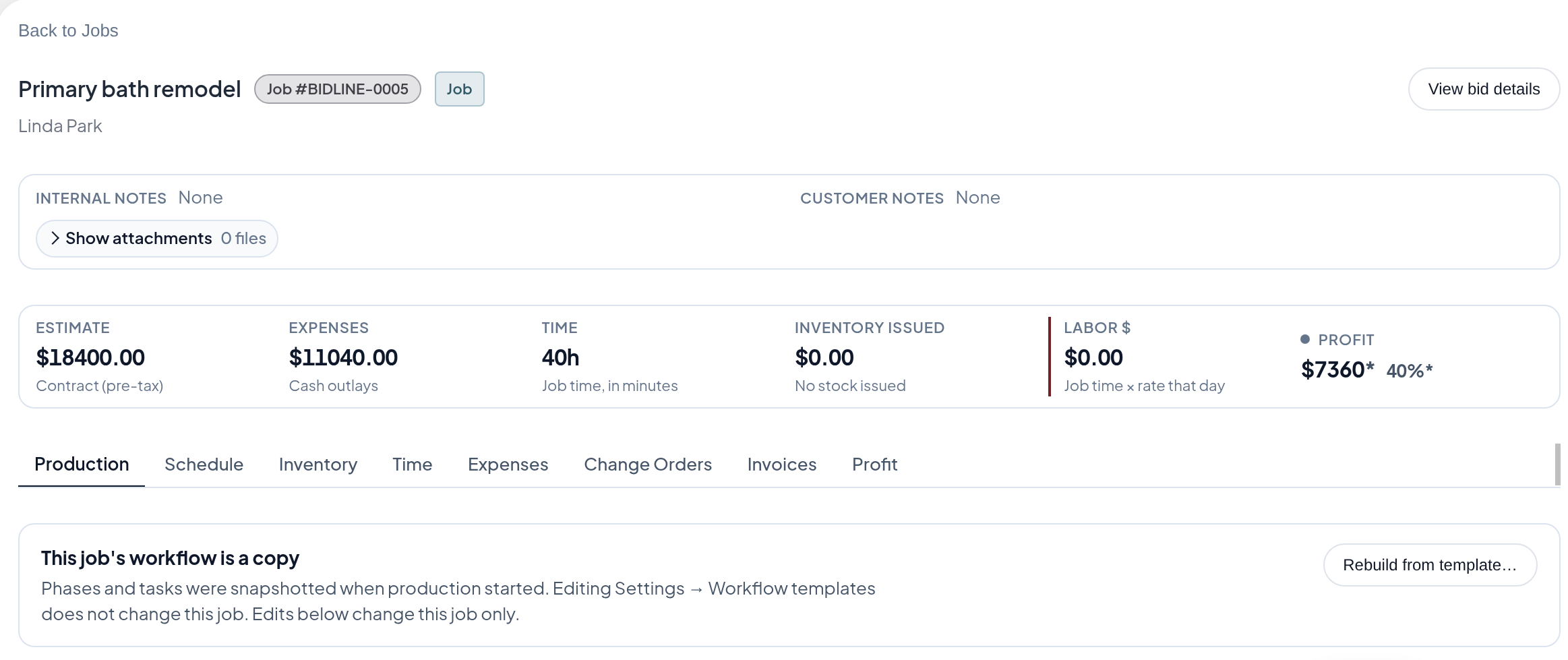
Steps, schedule, materials and profit on one screen, from the first deposit to the final walkthrough.

Job workspace with profit and workflow steps

How it works

Fewer steps. Less running around.

Fewer apps to switch between, fewer trips to the jobsite, fewer calls to chase an answer.

1

Quote in minutes

Pick from your products, add options, and send. The customer accepts online.

2

Invoice in one click

The accepted quote becomes the invoice, with a card or ACH pay link.

3

Stay on top of the job

Steps, materials and profit in one place, with payments posted to QuickBooks Online.

Case study

How many touch points does one kitchen sale take?

11touch points before BidLine

  1. Phone call
  2. Site visit and measure
  3. Write the quote
  4. Email a PDF
  5. Follow-up call
  6. Customer says yes by phone
  7. Retype it as an invoice
  8. Drive out for the check
  9. Deposit the check
  10. Enter it in QuickBooks
  11. Text the crew the job details

5touch points with BidLine

  1. Phone call
  2. Site visit, quote built on the spot
  3. Customer accepts online
  4. Invoice with pay link goes out from the quote
  5. Payment posts to QuickBooks as a sales receipt

Pricing

One plan for small shops. One for crews.

Small shop? Start with Collect, move to Pro when you add crew and inventory.

For trades and one-person installers

BidLine Collect

You do most of the work yourself, and you're tired of driving back to the jobsite to pick up a check.

Send the quote, send the invoice, and let the customer pay by card or bank transfer the day you finish. No extra trips, no gas money, no chasing checks.

$9/mo billed annually · or $14 month to month · 3 seats

See Collect

For cabinet, millwork and closet shops with a crew

BidLine Pro

You run a crew, installs on the calendar, and materials to order.

Pro turns each accepted bid into a job, so you can see what's on order, what it's earning, and who still owes you.

$199/mo billed annually · or $229 month to month · 5 seats

See Pro

See it on one of your own jobs.

Fifteen minutes on a call with our team. Bring a recent bid and we'll build it in BidLine with you.

Book a 15-min demoSchedule a demo to get 50% off your first month.